Preview GitHub HTML files locally inside the Chrome interface
GitHub Local HTML Preview, from xidforge, is a Chrome extension that previews GitHub-hosted HTML without cloning repositories, aimed at quick verification during code review. It renders repository pages and in-repo assets inside the browser, resolving relative links and avoiding external preview services. The extension defaults to blocking active content, supports private repository access via existing authentication, and targets developers and designers who need fast, privacy-conscious page checks within their GitHub workflow.
What the extension presents inside GitHub pages
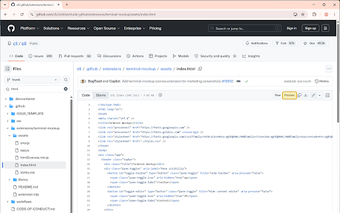
The extension inserts a 'Preview' button into the GitHub file header so users can open rendered pages without leaving the site. It handles .html and .htm files and displays linked assets inline to let reviewers verify layouts and static documentation quickly, removing the routine of cloning a repo or launching a local server for simple visual checks.
How the extension handles security and local processing
Processing and rendering happen in the browser rather than via an external proxy, which keeps source files within the user's session. A safety-first mode blocks active scripts and external resources until explicitly allowed, giving reviewers control over when dynamic content runs. The extension follows Manifest V3 extension standards, which aligns it with current Chrome extension security and performance guidance.
How it fits developer workflows and browser support
Installation requires no configuration or Personal Access Token, so teams can use it immediately after adding it to Chrome. It supports Chromium-based browsers beyond Chrome, including Edge, Brave, and Vivaldi, and is offered as a dependency-free utility built from an open-source project. That design makes it a convenient, lightweight alternative for quick previews compared with full CI/CD preview pipelines.
A practical, privacy-minded preview tool for quick checks
GitHub Local HTML Preview is a practical choice for developers who need immediate verification of static pages within their existing GitHub workflow. Its design avoids external preview services and keeps repository content within the browser, which favors privacy-minded teams. The trade-off is that interactive or scripted demos require deliberate action to enable active content, so full application testing still belongs on a dedicated local or staging server.